



Product Authenticity Search

This page only verifies the serial number shown on your UKey Core 26, UKey Lite 24, or UKey Lite 25 screen. Never enter your recovery phrase. The serial number is used only to confirm that the device is genuine and is unrelated to your wallet or funds.
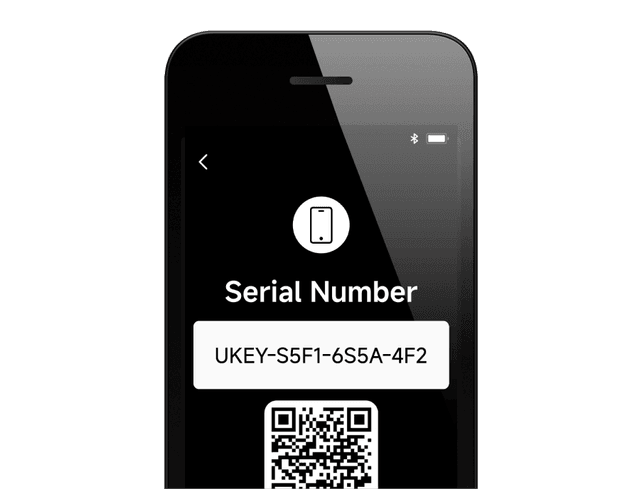
How to find your serial number?
1. When activating the device for the first time, tap "Verify Device" to view it
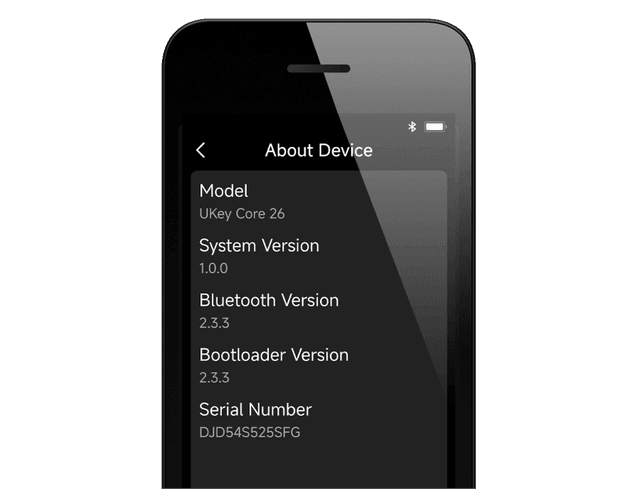
2. Open "Settings", then tap the "About Device" page to view it
How to find your serial number?
- 1. When activating the device for the first time, tap "Verify Device" to view it
- 2. Open "Settings", then tap the "About Device" page to view it
Serial number not found
Possibly a typo, or it could be a counterfeit product Please contact official customer service for further verification.